Showing posts with label Diana Marcus. Show all posts

Wednesday, May 2, 2018

Day 140 - Amazon Bringing 2,000 Tech Jobs to Boston - Ms. Marcus- BPSEdTech Team


Understanding how to work with and in a tech environment is more important than ever before.  While the decision regarding where Amazon will locate its next HQ is still up in the air, Amazon and other STEM companies are increasingly seeing the greater Boston area as a good place to set up shop.
Some of these jobs will be “tech” jobs, but every job from maintenance to accounting, to coding, to working with the robots who move merchandise across the warehouse floor will require the ability to understand and work with technology.
Here in Burlington, the EdTech Team and teachers from across the district are working on integrating essential computational thinking and technology skills into the PreK-12 core curriculum and everyday instructional practices so that our students will be ready to take on the challenge of working in jobs that haven’t been envisioned yet.  Additionally, we are adopting adaptive learning systems, blended learning, and digital resources to personalize learning so that our students will be well-prepared to continue learning throughout their lives.  To read more about Amazon’s plan to create more jobs in Boston’s Seaport, check out the Boston Globe article here.

Friday, March 16, 2018

Day 113 - Remote/Virtual Learning Days - Diana Marcus - Mobile Learning Coach


First of all, let me say this at the outset – I DO NOT BELIEVE THAT THE FOLLOWING SUGGESTIONS ARE BETTER THAN BEING IN SCHOOL ON A WINTER DAY.  I’ll probably have to say that over and over again because people challenge me over and over again on the topic.
We’ve had so many snow days this year that I’ve actually lost count and need to ask the district office for the current projected last day of school.  To make matters worse, the last two snow cancellations have been 2-day stretches; one was a Thursday-Friday combo so students were out of school for four days in a row.  Then, they came back for Monday and were out Tuesday-Wednesday.
If you’re a teacher in the middle of a unit or a book, you already understand the problem here.  That topic you started two or three weeks ago will need to be restarted.  Students have forgotten the math algorithm you were teaching because they haven’t practiced and turned it into muscle memory.  YOU probably can’t remember where you left off in that book and your students have certainly lost the plot.  And, you are thinking about the so-called “end of year” tests which are rapidly approaching.  (I say “so-called” because they test the standards to be taught by the end of the year but are given one to three months before the end of the year.)
Nothing beats the interaction between students and their teachers and peers for learning.  After all, we know that learning is a social activity and that educators create the best environments for learning.  But sometimes it simply isn’t possible or safe to be in school due to severe weather, a leaking roof, or a failed heating system.  What then?  The traditional answer has been to add missed days to the end of the year.  This does nothing to address the interruption in learning that occurs over snow days.  It doesn’t push back the state-mandated testing so that it aligns with the change in where students are in the curriculum.  It doesn’t take into consideration that most elementary schools and many middle and high schools do not have air conditioning and have miserable ventilation so that late June brings sweltering classrooms that endanger student health, not to mention learning.
A few years ago, our district attempted to take the lead in making a change.  Sadly, of the three options that were put forward, the School Committee chose the worst of the three.  Every student in grades 1-12 was given a “blizzard bag” project to be done later in the year, not during the snow days, that was meant to replace the lost time on learning from the missed days.  While the topic of the project, Bees/Pollination, was noble, the additional work was not connected to what students had been learning and was overwhelming, having been assigned on top of what students were already doing.  It resulted in a near-universal verdict that this was not how we wanted to do things.  Unfortunately, the public now equates any attempt to be innovative about school cancelations with this model.
There is a better way, which was the one recommended by teachers, and for which I continue to advocate.  Thanks to advances in meteorology, school cancelations are rarely unanticipated, so with a little preparation, teachers can make sure students have an opportunity to make progress on days when they cannot make it to school without snowshoes or an inflatable boat.
Here are some simple examples from my own experience as a fifth-grade teacher:
  • read the next chapter in our core book and answer questions about the reading;
  • write a reflection on a topic from our master list;
  • revise your current writing project for (insert focus area here);
  • practice math equations/problems (I always had extra practice sheets);
  • watch one or more of the science or social studies videos I’ve assigned through Discovery Education and be prepared to discuss when we return to school (assuming you have power);
  • Read this Cobblestone (history) or National Geographic (science) article and highlight the portions you would like to discuss or learn more about (no electricity needed);
  • Depending upon the special (Art/Music/PE) we would have on that day, do the activity assigned by that teacher;
Of course, there are always people who think this is a gambit by teachers to get out of working.  Let’s just put aside the fact that I don’t know an educator who doesn’t use snow days to catch up on lesson planning, grading, IEPs, professional development, or parent communication.  Teachers wouldn’t get the time off on a remote/virtual learning day.  Depending upon the situation (grade level, subject, available resources) teachers would provide support for students and families.  A few options could be responding to questions via email, conversation threads on Google Classroom, Google Hangouts, checking in on student work through Docs.  Obviously, if everyone loses power, then there would have to be alternatives but it wouldn’t be that difficult to work something out so that districts would feel that they were getting their money’s worth out of the teacher day.
Again, there is no question that being in school would provide a richer, more supportive, learning experience for most students.  But if we are willing to let go of the “snow day” of the past, we can not only keep students immersed in their learning, but they may even discover that learning can happen outside of the classroom.

Monday, December 11, 2017

Day 64 - When Teachers Join In - Diana Marcus - Mobile Learning Coach


There are many aspects of instructional coaching that make my job one of the best I could ever imagine.  That moment when a student “gets it” and their eyes light up.  Collaborating with teachers to select what content, skills, and strategies will work best in their classroom.  And then doing it again the next year because every group of students presents new and different opportunities and challenges.
Working with teachers to bring coding into the classroom has been especially rewarding.  Many of our teachers have never engaged in coding or robotics activities before and I have the chance to open this world up to them both as learners and as educators.  Often, however, teachers treat computer science and coding as a “special” which is taught by a “specialist” separately from other curricular content and skills and do not participate in the learning.  However, when teachers learn alongside their students, something special happens for both the teacher and the students.

Modeling Learning

When teachers sit with students and learn new skills, along with the struggles, questioning, failures and successes, they model learning the learning process for their students in an authentic manner.  Students see that everyone needs to work hard to learn something new.  They see adults having to guess and check, predict, and persevere.  There are times when students are able to support their teachers in learning something new and to model the concepts in order to explain how to solve problems.  This modeling is a powerful tool in helping students understand what it is to be a lifelong learner and to take chances as they grow.

Connections

It’s one thing for me to tell a teacher that the skills that students are learning in coding and computer science apply across the curriculum – it’s a very different understanding when teachers are applying those skills and making the connections to other skills, content, and habits of mind.  Working through sequencing, loops, conditionals, and more, teachers see not only the connection to math, but to writing and analyzing literature as well.  Creating code through an iterative process and debugging using a logical, methodical, process elevates problem-solving skills that apply to all areas of education and daily life.

Relevance and Engagement

Most importantly, when students see teachers and other adults engaging in the same activities they are doing, they perceive those activities as being relevant and authentic, making them more likely to engage fully with the activities and to persist when things become difficult.
Anyone can learn to code and everyone should learn enough about computer science to be able to understand how technology impacts our world and our work.  So, the next time you have a chance to work with a coach or one of our building-based EdTech educators in your classroom, jump in and learn alongside your students!

Thank you, Ms. Krystel Anderson, Mrs. Diane Fitzpatrick, Mrs. Amanda Hanafin, and Mrs. Chrissy Sheppard for a wonderful day of learning together with your classes!

Tuesday, October 3, 2017

Day 21 - Why Do All Students Need Computer Science? - Diana Marcus - BPS Mobile Learning Coach


Superintendent Conti’s blog post last month on Computer Science for All outlined the state’s commitment to providing computer science in all schools. 
But many people are still skeptical of the idea of teaching CS and coding principles to every student K-12.
So, why DO students need to learn computer scienceif they aren’t planning on going into STEM careers?
There are many reasons, but I like to think of it this way.  Neither of my children are going to become professional chefs; should I therefore send them out into the world without knowing how to prepare a basic meal?  Of course not!  The ability to use a stove and make pancakes for dinner without contracting food poisoning or burning the house down is an essential life skill (because breakfast for dinner is the best meal ever!)  Sure, they could eat cold cereal but shouldn’t we at least provide them with a skill set that allows them to have a choice?
Knowing how hardware, software, and services work together is the new pancakes for dinner, part of the basics that every student should have when they step out into the world. This is especially true as the IoT (Internet of Things) makes its way into everyday life in ways that we never expected.  Your fridge and stove may very well be on speaking terms with each other in the near future.
Think of something you do every day – using your ID card to open the door to your school building.  As you swipe your card across the reader, you are accessing a combination of hardware and software working together.  When this action doesn’t unlock the door, what might have gone wrong?  Without some basic understanding of the parts that go into this process, you won’t know where to start problem-solving.  Is your card damaged or is the lock not operating properly?  If the lock is not operating as expected, is it a physical defect in the device,  the programming that recognizes your card as granting access, or has the communication system between the central office and the device not worked to let the lock know you are a trusted individual.  And that’s just a 1-5 second moment in your day that can go smoothly… or not.  This is followed by a myriad of other interactions with computer science concepts that continue throughout your day.
We want our students to be able to use devices, software, and services safely, responsibly, productively, and with understanding, no matter what career path they choose. Most students don’t know what career they will have until after they have left BPS.  This is why we make sure that every student has a well-rounded education that allows them to move on to a wide range of advanced studies.  Increasingly, this means they need a solid grounding in computer science in addition to the traditional core subjects.
Here in Burlington, the EdTech faculty is working hard to integrate computer science principles into the core curriculum in ways that authentically enhance creativity, curiosity, cooperation, and critical thinking skills across all disciplines K-12.  Continue to visit our site to learn more about how we are providing Computer Science for All.

Friday, January 6, 2017

Day 76 - Persistence in Coding - Diana Marcus - BPS Mobile Learning Coach

A quick Google search returns a definition of persistence as “firm or obstinate continuance in a course of action in spite of difficulty or opposition.”  
In Mrs. Visocchi’s fourth grade classroom, we say that persistence is,
Trying again and again, even when something is very hard.
Students begin coding lessons believing that learning the language or commands is the essence of their work.  As our work progresses, they are begin to understand that the true challenge is determining what actions you need to have occur in order to solve a problem, not assigning commands to those actions.
Whether making their “angry bird” navigate a maze or filling the screen with a colorful design, students need to go through a series of steps in order to be successful.  
Step 1: Understand the puzzle
Step 2: Create a Plan
Step 3: Perform and Perfect the Plan
Step 4: Check your work
And along the way, they will fail.  And fail again. But with persistence and thoughtful application of strategies, they will move closer and closer to success.
On Tuesday, we put away our iPads and spent some time looking at how we address failure and persist in finding solutions.  Given gumdrops and toothpicks, students were tasked with building a structure that would support two social studies textbooks.
And they failed.  And failed again.  But with each new iteration, students worked on their teamwork and problem-solving skills.  While no group managed to meet the goal by the end of the period, every team made significant improvements in their designs and were able to reflect on what went wrong and what might work better.

These are the skills we will bring into their debugging as the puzzles and tasks increase in difficulty.  These are also the skills we will continue to emphasize across disciplines and hope students will bring to problem-solving from math to science to social interactions and beyond.

Wednesday, December 7, 2016

Day 60 - Coding in Elementary - Diana Marcus - BPS Mobile Learning Coach

Last week was an exciting one as Sarah Visocchi’s fourth-grade class at Pine Glen began integrating coding lessons into their math classes.  The objective of using coding lessons is to help students hone their computational thinking and problem-solving skills, generalizing them into their work in all academic disciplines and areas of their life where logical thinking and problem solving occurs.
We are beginning with Code.org’s Code Studio Course 2, a beginner course for students who are readers.  (Course 1 is a beginner course for students who don’t yet read.)  Each new concept is presented in “Unplugged” mode where students either act out or engage in paper-based activities that allow them to understand the concept and vocabulary in real-world situations before applying them to coding and computers.  In our first two Unplugged lessons, students are beginning to understand what “programming” is really about and relating the concept of algorithms to everyday activities.  
In Lesson 1, students practiced using codes to communicate with peers.  First they wrote “code” to tell others how to create designs.  Students then swapped papers and “ran” their classmates’ code to find the design.  If the completed design didn’t match the original, students analyzed the code to determine what went wrong.  Lesson 2 focuses on how we use algorithms in our daily lives as we create instructions for folding a paper airplane.  With a little luck, we’ll have good weather for flying our paper airplanes when we’re done!
The same factors that make Mrs. Visocchi’s class a vibrant and diverse learning community present challenges in implementing a provided curriculum, even one as good as Code.org’s.  As a result, it provides opportunities to be creative in modifying the curriculum to reach as wide a variety of learners as possible.  Our hope is to not only modify the curriculum but to share those modifications with the wider BPS community in order to support coding across the district.
Touch base with me or with your building-based ITS to see how incorporating coding into your lesson time can build skills across the curriculum.

Tuesday, November 1, 2016

Day 40 - Swift Playgrounds – Everyone Can Code - Diana Marcus - BPS Mobile Learning Coach

This post first appeared on Ms. Marcus' Blog

 Playgrounds_icon.png(Last week), I had the opportunity to attend Apple Education’s “Everyone Can Code” event, highlighting Apple’s Swift Playgrounds.  Swift is the coding language used to create iOS apps for iPhones and iPads.  What was most surprising, given Apple’s history of closed/proprietary systems, is that Swift now plays well with Microsoft, Android, Raspberry Pi, and other platforms, greatly expanding the possibilities for our students who learn Swift.
Playground_in_action.pngSwift Playgrounds for the iPad allows users to learn to code through lessons that progress from beginner through complex, including the ability for the learner to create their own playgrounds.  Designed for students beginning in sixth grade, I can see the app being used by students as early as fourth grade who are strong readers and/or who have adult assistance.  Through the use of the shortcut bar which provides tap-and-add commands, the app bridges the gap between block coding (where the user selects symbols but may have no understanding of the underlying commands and syntax) and free-typing which often results in typos and syntax errors.  This is especially helpful in the early stages of learning to code. There’s no need to compile Swift code so once you type a line of code, you can see the results immediately. Playgrounds also identifies errors as you type, simplifying the debugging process.
Swift Playgrounds includes curriculum materials designed to be accessible to teachers who have never coded before, providing educational materials so that the teacher can learn along with their students.  Lessons include activities, reflection questions, and journal prompts. You can check out the free course in iTunesU and guides in iBooks.
IBooks_for_teaching_Swift.png ITunesU_Swift.png

Friday, May 13, 2016

Day 155 - Google Hangouts In Kindergarten - Diana Marcus - BPS Mobile Learning Coach

This post originally appeared on Mrs. Marcus' Blog

Hoyt Read Aloud
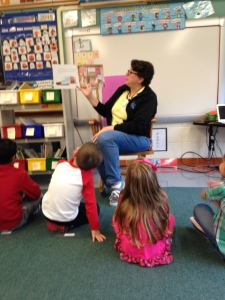
Earlier this year, I had the honor of being a guest reader in Mrs. Hoyt’s kindergarten at Pine Glen.  The first time was a typical read-aloud of Ms. Rumphius by Barbara Cooney.  I joined the students in the classroom, took a seat in the rocking chair on the rug, and held the book aloft while reading.  I remembered to sweep across with the book every now and then so students could see the pictures.  Since reading to kindergarten ranks high on my list of favorite activities, I had a great time.

Hoyt Hangout 3
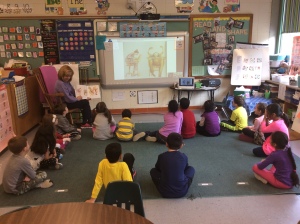
Last month, we decided to try something different.  I visited the classroom via Google Hangouts in preparation for students using Hangouts and social media as a learning tool.  Through video chat and screen sharing, I read the book Wilfrid Gordon McDonald Partridge by Mem Fox.
Just in case we had difficulty with connecting or projecting the book via screen sharing, Mrs. Fallon was on hand with the book.  As you can see in the picture to the right, the screen sharing was a success and by projecting the pictures, all students could see them at the same time.  When I was done reading, I switched back to video chat and I took comments and questions about the book and what I liked to read.
It took the students no time at all to realize how Hangouts could be used to expand their reach.  I was visiting them from the far away place of the computer lab (shhhhh… I was just down the hall!), but they came up with relatives from around the country and the world who they could invite into the classroom.
Later this week, a student’s aunt will be reading to them from Costa Rica.  To facilitate sharing a book on the screen, Ms. Carney provided her with access to the library’s collection of digital books.  Students will not only have the joy of meeting another guest reader but will have a chance to ask questions about life in Costa Rica.  Just imagine what it would be like for them to interview people from around the world!
In the meantime, Mrs. Hoyt will be connecting her students with a kindergarten class at Francis Wyman when she visits there later this month.
The opportunities to expand students’ reach and awareness across the globe are countless with tools such as Google Hangouts.  Where will your students go next?

Tuesday, November 17, 2015

Day 52 - BPS Remote Learning K-8 - Diana Marcus - BPS Mobile Learning Coach

Marcus1
The goal of remote learning when school is cancelled due to inclement weather or other emergencies is to reduce the extent to which student learning is interrupted. While there is no substitute for the rich learning experiences present in our schools, students can continue to partake of the curriculum with teacher support even on days when access to school buildings is not possible. In most cases, this will require minor adaptations of materials already available or providing additional opportunities for practice of learned material.
Remote learning on inclement weather days will, of necessity, look different for students in grades 1-8 as these students do not have access to their district-supplied iPads at home. Additionally, accessing materials online and utilizing email, while technically possible, is more difficult for students in the earliest grades. Most students do have access to a web-enabled device at home (tablet, smartphone, laptop, or desktop) and it will be important for the school to determine who does not have this access in order to make a decision as to the best way to address remote learning.
Examples of upper elementary and middle school English Language Arts include literature responses to teacher-selected or independent reading, writing prompts, and vocabulary work. Math work on remote learning days can focus on additional practice of math fluency and problem solving using paper-and-pencil materials or one of the online programs to which we subscribe (TenMarks, Symphony, Reflex Math). This would also be an opportunity for “show what you know” assignments for which teachers may not have time in class. For example, students can create a product that demonstrates their deep understanding of a current topic in math, incorporating relevant vocabulary, strategies, and algorithms using the medium of their choosing. Many of the “Writing in Math” problems supplied with the Envisions program can be made into these assignments.
Science and Social Studies both lend themselves to a “flipped” model, with students reading or watching materia at home and summarizing the content or generating questions for a class discussion when students return to school.  
Students will have greater success with these learning experiences if they have prior practice. For example, if students will be asked to take notes or generate questions relating to a video as part of a remote learning assignment, they should have directed practice taking notes and generating questions on videos in class so that they know the routine.
I am available to work with teachers individually or in teams on any of the above resources or to co-plan for remote/blended learning experiences. Simply drop me an email at marcus@bpsk12.org or set up an appointment online athttps://marcusbpsk12.youcanbook.me/

Monday, June 15, 2015

Day 172 - Tame the Email Monster with Inbox by GMail - Diana Marcus - BPS Mobile Learning Coach

This post first appeared on Ms. Marcus' Blog

It’s Monday morning and you cringe as you check your email.  If you’ve set up folders or are using GMail’s priority inboxing options, you may at least have the advantage of knowing which emails need your immediate attention and which ones should be able to wait.  More likely, you are faced with a chronological list through which you now have to slog, separating the wheat from the chaff, all while hoping that there’s no time-sensitive missive far down the list.

For the past couple of years, I’ve used Mailbox to help manage my email inbox which seems to overflow whenever I take my eye off of it for so much as a minute. Now, many of the features I like in Mailbox, such as an easy swipe to hide an email until a given date or time, are available in Inbox by Gmail, along with some additional features that should work well for my busy schedule.

I especially like the way that timely emails, such as those that contain dinner reservations or flight information pop to the top as the time draws near. No more booking your flight in January and then having to desperately search for the confirmation email in July as you get ready to leave for your vacation.

As in Mailbox, I can set a date for an email to return to the top of my mail list. I set the email with instructions for dropping my son off at college to pop up a day before we start our road trip.

Organize your long-term to-do list and create reminders that pop up when it is time to get things done. Great for that  list of things you want to remember to do at the start of the next school year.

Take a look at this video for an overview to see if you want to take it out for a test drive.

Monday, April 6, 2015

Day 128 - Chrome Extensions – Getting More Out of Chrome - Diana Marcus - BPS Mobile Learning Coach

Chrome extensions can make your browsing and use of Google Apps easier and more productive.  Some extensions appear in the toolbar to the right of the address bar, waiting for you to select them.  Others work in the background and are activated when you need them or are working in a particular application such as Google Docs.
FramedExtension Toolbar
The toolbar for my school account includes a quick view of my calendar (I have 37 minutes until my next appointment!), Clearly and Readability for web reading that’s easier on my eyes, Evernote and Google Drive web clippers, Snaggit and “Explain and Send Screenshots” for grabbing and annotating quick screenshots, Google Cast for when I want to send my screen or YouTube videos to the TV, and URL shorteners from Google and bit.ly.
See below for instructions on how to add Chrome extensions on a Chromebook.  For a one-page reference sheet, go to http://goo.gl/qA2IfO or click here.  On Macs and PC’s, skip to the link for the Chrome web store or use the triple-bar drop-down menu at the upper right corner of your Chrome browser window, select More Tools / Extensions and scroll to the bottom for a link to the Chrome store.
As always, you can set up a time for me to work with you on Google Apps for Education, integrating the use of technology into your classroom teaching and learning, workflow/productivity solutions, and more.  Just drop me a line at marcus@bpsk12.org or book an appointment using the Book Now link in the sidebar.

If you are working on a Chromebook, select the App Launcher (lower left tool bar)

App Launcher Arrow

Look for and click the Chrome Web Store icon.

Chrome Store IconOr, go to https://chrome.google.com/webstore

Search for the name or type of extension or app you need.  To edit MS Office files in their native format on a Mac or PC, try adding Office Editing for Docs, Sheets, and Slides which is pre-installed for those elementary teachers using the new Chromebooks.

Select the extension or app you want by clicking the blue button and follow the directions to approve installation.  Your extension should be enabled automatically and available when you reopen Chrome.

You can manage your extensions by clicking the menu Screenshot 2015-04-01 at 10.46.25 AM at the top right of your Chrome screen, selecting “More Tools” and then “Extensions.”

Thursday, September 4, 2014

Day 3 - New Adventures - Diana Marcus, BPS Mobile Learning Coach

This post originally appeared on Diana's Blog

Boise_Panorama_from_Camelsback_Park


After 7 years as a Special Education Teacher and 7 years teaching 5th grade, I am embarking on a new journey as a district-wide Mobile Learning Coach (MLC). Technically, I will be employed half-time as a MLC and half-time assisting Burlington teachers with implementation of the new educator evaluation system. Realistically, I will be employed full-time supporting educators with planning and showcasing instruction and learning across the district.

Some ways in which I hope to assist teachers:

Workflow & Organization

  • Google Classroom
  • Edmodo
  • File Transfer, Storage, Organization
  • Paper Reduced workflow and assignments

Communication

  • Classroom Websites, Blogs
  • Social Media in/for the classroom
  • Email Management: Lists, Folders, Services

Student Learning

  • Lesson Augmentation/Tech Integration
  • Routines for Device and Classroom Tech Management
  • Documenting Student Learning
  • Differentiation / Intervention Tools and Techniques

Evaluation and Professional Learning

  • Productivity Tools
  • TeachBoost: Evidence Curation for Evaluation
  • PD/PLN Development: RSS Feeds, Twitter, Google+
  • Teacher Learning Resources
What have I missed?  In what other ways can I assist you in my new role?