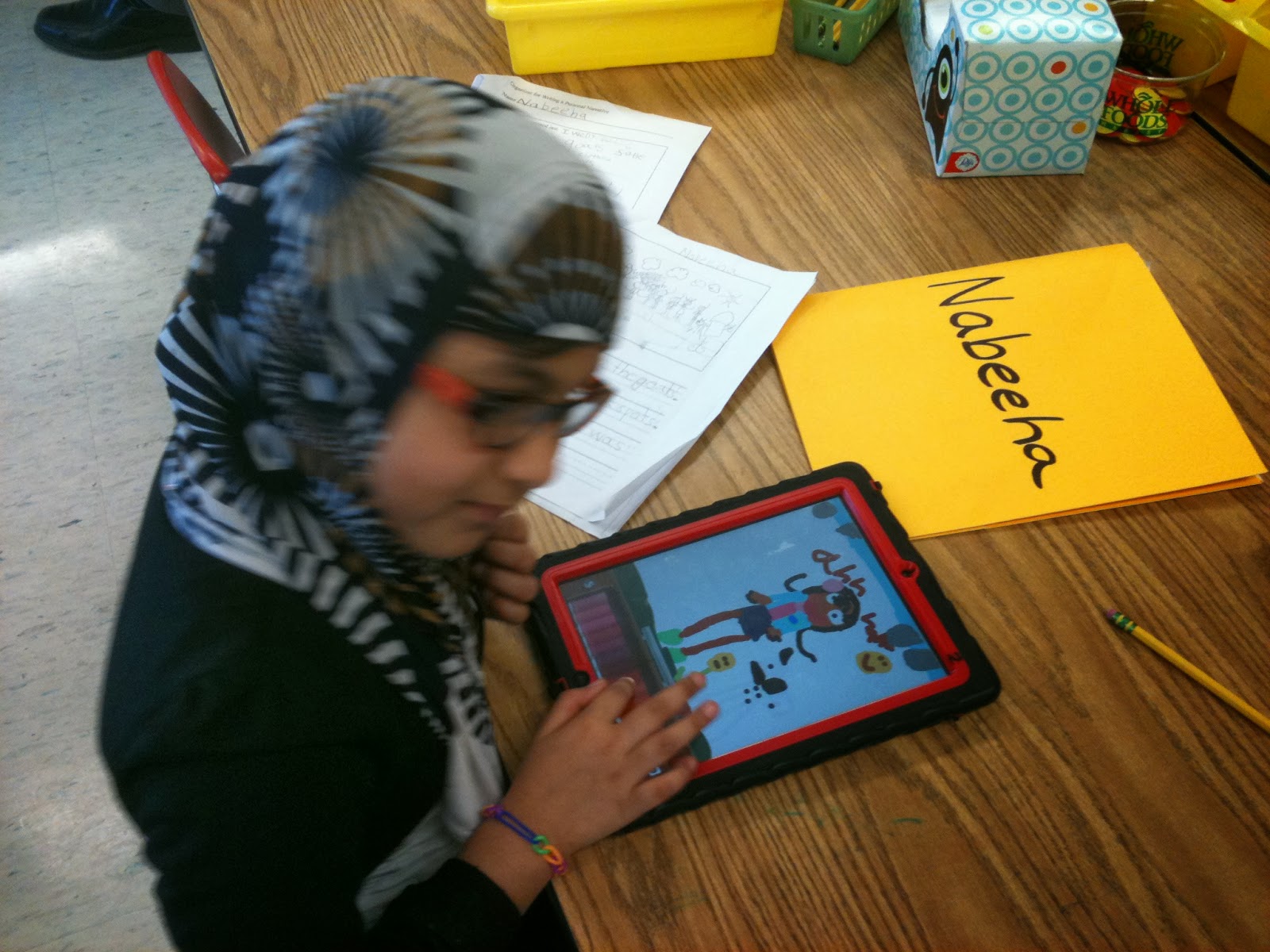
This week in 1st grade we are continuing our book reviews! Students are free to choose any book they like that interests them, fiction or non-fiction. The only stipulation is it must be a just right book at their level that they can read on their own so they can put what they have learned or what interests them into their own words. After they have read the book, they first write their review on paper. I work with the first grade teachers to help the students construct their sentences and to help with spelling and grammar. After completing their draft on paper, students then use the Book Creator app on their iPad to type their review into a text box. Once they’ve completed their typing it’s time to get creative! Students are free to design their own page, choose their background, text, fonts, colors, and create a layout that they like. As a finishing touch, each student asks a friend in class to take their picture with their book to include on their page. This project is a favorite as it includes literacy, reflecting, writing, student choice, typing, information literacy, iPad skills, layout and design skills, and photography skills. Throughout the project, students share with their classmates how they creating their page, how to choose different colors, fonts, text sizes, and how to move things around on the page. Best of all the kids have a blast using Book Creator to show off what they’ve learned!
Showing posts with label Book Creator. Show all posts
Thursday, January 12, 2017
Tuesday, February 2, 2016
Day 96 - First Grade Book Reviews - Mr. Murphy - Fox Hill Library/Media Specialist
In first grade we’ve been working hard on our book review projects. Step one was selecting a just right book and reading it. Step two was to write about what you learned and what you liked about the book. Step three was typing it up in the Book Creator app.
Once students completed their typing, it was time to get creative! Using the Book Creator app, kids designed the layout of their report, decided on background and text colors, decided on the font they liked the best, decided on their text and picture size, and decided on the placement of all these elements on the page.
These are just two of many fantastic examples that show students using their iPads to display their learning in a new, exciting, and creative way!
Monday, November 30, 2015
Day 59 - Virtual Author's Tea: Room 111 Farm Stories - Ms. Farmer - Francis Wyman Grade 1
This post first appeared on Ms. Farmer's Blog
Below you will be able to listen to your child's farm story which was created after a unit of study on farm animals and a trip to Davis Farmland. Instead of writing about the entire field trip experience, the students were instructed to think of a special moment from the trip. They then took that isolated event and went on to describe what they saw, heard, felt and smelled.
1. First the class was taught the features of a great personal narrative.
2. Next the children wrote the first draft of their story on paper, focusing on details in the beginning, middle and end.
3. After editing and revising with teacher assistance, the children began to publish their book by typing the words of their story into the BookCreator app on their iPad. They also illustrated their words using the Drawing Pad app and then uploaded their drawings into their book. Afterward, they recorded themselves reading their story.
4. The Children's stories were then converted into a video and they had a celebration! They listened to each other's stories and offered positive feedback in writing to each other.
5. Below you will be able to watch and listen to your child's story (which has been converted into a Youtube video) with your child. So grab a cup of tea or your favorite beverage and enjoy listening to as many stories with your child as you like!
Thursday, November 5, 2015
Day 46 - All New Book Creator - Mr. Murphy - Fox Hill Library/Media Specialist
This post first appeared on the Fox Hill Media Center Blog
See the slides below for a quick how-to on using the new Book Creator features and sharing projects with your teachers. If you have any questions, let me know!
Tuesday, September 29, 2015
Day 20 - Mrs. Potts' & Mrs. Kearney's Kindergarten - Self Portraits - Michelle Ardizzoni - Pine Glen Instructional Technology Specialist
This post originally appeared on the Pine Glen Library and Technology Center Blog
This week, our kindergarten students in Mrs. Potts' and Mrs. Kearney's classroom put their talents to work as they drew their self portraits, using the iPad app Drawing Pad. Students were mindful of their color choices, body parts, hair, and clothing. Then students "autographed" their work by placing their first name on their drawing. Their completed work then became pages in a classroom book using Book Creator, and finally the finished product emerged via iMovie to add a little music and movement to the book. Enjoy our artists' illustrations!
Thursday, May 29, 2014
Day 163 - New Class Book On The Rainforest - Mrs. Farmer's Class, Francis Wyman Elementary
We have been working for weeks on our Non-fiction Informative book on a favorite rainforest animal.
Much reading, writing, revision and editing went into the creation of this book.
- First we created a R.A.N. chart with our partners: We wrote down facts on stickies that we thought we already knew about our rainforest animal and placed them under the heading "What I Think I Know." After researching, we moved our stickies to either the heading "Yes! I Was Right!"or "I Don't Think This Anymore." We also had a heading entitled "New Learnings" in which we added facts that we learned through our research.
2. Then we used books, videos and websites to research information on our animal. We recorded facts into our Rainforest Research Book, breaking our information into such categories as: What our animal looks like; What it eats; Where it lives; and Other Amazing Facts
3. We wrote a rough draft, using paper and pencil.
4. We revised and edited our writing with our teacher.
5. We used the BookCreator app to illustrate and type our words. We even added an Illustrated Table of Contents.
6. We then shared our books with our classmates (see below). We looked at and listened to every student's book and commented on the great writing and illustrations that they made. We then took these positive comments home with us on a piece of paper.
Wednesday, January 15, 2014
Day 83 - 8C World History Students Create e-Books - MSMS Mrs. Bova's World History Students
This post first appeared on the Marshall Simonds Middle School Blog
Recently, 8C students in their World History class used their literary talents to author a book on an African Trading Empire. Using the app “Book Creator”, students recorded their researched data in the form of an original book describing the kingdom of their choice. All 8C books will be on display during our Spring Open House.
This e-book was made using Book Creator for the iPad.
Read this book or this book on an iPad or iPhone by tapping on it and choosing Open in “iBooks”
Tuesday, November 26, 2013
Day 59 - We've Published Our First Book! Irene Farmer, Francis Wyman Elementary School
This post originally appeared on Ms. Farmer's Blog
Below you can view our very first published book! Each child brainstormed and chose a favorite moment from the farm field trip. They then wrote, revised, illustrated and published a short three-page story with a beginning, middle and end. Final drafts were typed into the Book Creator App on their iPads.
Upon finishing their writing, the children then went onto their iPads and created illustrations to go with their words on the Drawing Pad app. Their artwork was saved to their camera roll and then uploaded into their Book Creator app. The individual books were then compiled into one big class book.
Take a moment to look at the book here. Have your child read his/her entry to you personally!
(To get rid of the side bar on the left, just click on the arrow on the top left hand side and the sidebar will collapse).
Below are some photos of the class drafting their stories, editing them and publishing them onto their iPads:
Below you can view our very first published book! Each child brainstormed and chose a favorite moment from the farm field trip. They then wrote, revised, illustrated and published a short three-page story with a beginning, middle and end. Final drafts were typed into the Book Creator App on their iPads.
Take a moment to look at the book here. Have your child read his/her entry to you personally!
(To get rid of the side bar on the left, just click on the arrow on the top left hand side and the sidebar will collapse).
Below are some photos of the class drafting their stories, editing them and publishing them onto their iPads:
Wednesday, November 6, 2013
Day 46 - Book Creator - How-To - Nisha Chhayani and Forum Patel, MSMS 8th Graders
To open the ePub as an eBook on an iPad or another digital reader, click on the link below:
- Then click on Download
- When prompted, click on Open in iBooks
Subscribe to:
Posts (Atom)