Showing posts with label Francis Wyman Staff. Show all posts

Friday, January 8, 2016

Day 80 - Some Fun with Subtraction - Mrs. Duncan - Francis Wyman Kindergarten

This post first appeared on Mrs. Duncan's Blog 

We started a unit on subtraction this week and had some fun singing songs ("Five Green and Speckled Frogs"), reading books ("Pete the Cat and His Four Groovey Buttons"), and acting out story problems with bugs, frogs, and students!


Tuesday, January 5, 2016

Day 77 - It's Electric - Mrs. Lynch - Francis Wyman Grade 5

This post first appeared on Mrs. Lynch's Blog

This is by far my favorite science topic. I traded in my electricity script for some new ideas. Let the practice be the learning with some online simulations. We built circuits using a simulation website and took that experience to create real circuits to identify materials that will or won't carry electricity. The final challenge comes after vacation. May the force be with us!


After a day of working on simulations, the students had to look at real examples and determine the working parts of circuits in flashlights. They noticed things like:
  • the switch completes the circuit
  • the metal pieces inside of the bulb
  • the lens magnifies the light
  • the metal behind the bulb reflects the light
  • and more

All of this practice finally led us to the point where we built our own working circuits to determine through their own experiments what will and won't carry an electric current.

Just wait and see what they do when they come back!

Monday, November 9, 2015

Day 48 - What Do We Do First Thing Every Morning? - Mrs. Lynch - Francis Wyman Grade 5

This post first appeared on Mrs. Lynch's Blog

It really depends on the day! Sometimes we read messages in regular print and cursive.

And sometimes, we define new vocabulary using wordsmyth.com. We add these words to our word wall and try to use them in conversation. 


Sometimes, we try to draw pictures of descriptive sentences. 


Occasionally, we finish work for science or Social Studies.


And even still, we might even review some old science topics by visiting BrainPop, Wonderopolis and even more.

Friday, October 2, 2015

Day 23 - Using Blogger Labels to Communicate with Different Groups - Ben Schersten - Francis Wyman IT Specialist

The questions usually begin like this:
  • I want a blog, but I have 6 classes (periods). Do I have to have six blogs?
  • I have a classroom blog, but I have a different group of students for reading; how do post just for my reading families?
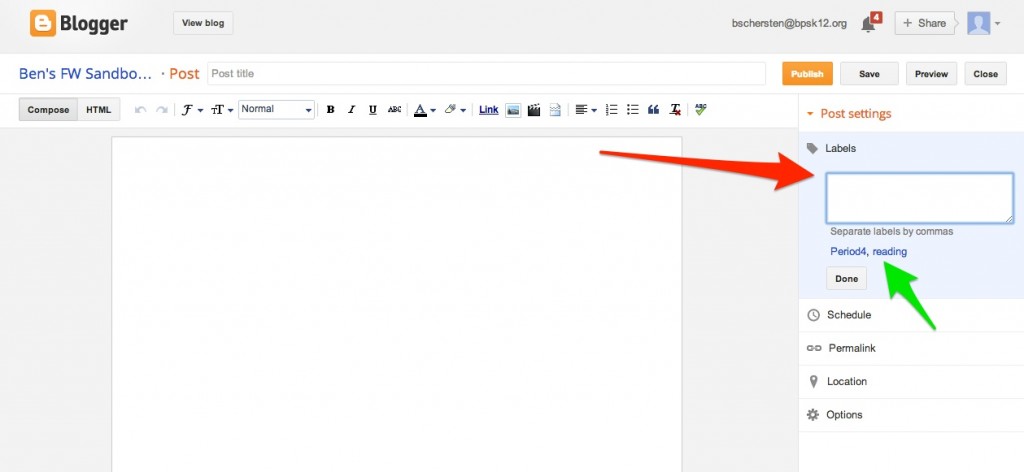
Labels! Each blogger post comes equipped with the ability to give it one or more labels: such as “Period4” or “reading.” The options for adding labels are on the right  when you’re composing a new post (the red arrow below). When the post is published, the labels will appear at the bottom of the post. Labels are a great way to sort blog posts into categories.
Adding a label
Also notice that when you’re composing, the labels you’ve used before show up in blue and you can just click on them and they’ll be added to the post (the green arrow above).
Now posting with labels is all well and good, but what if you want a user to easily be able to find a bunch of posts with a particular label? How do those fourth period students easily access only their “Period4” posts?
Post with label
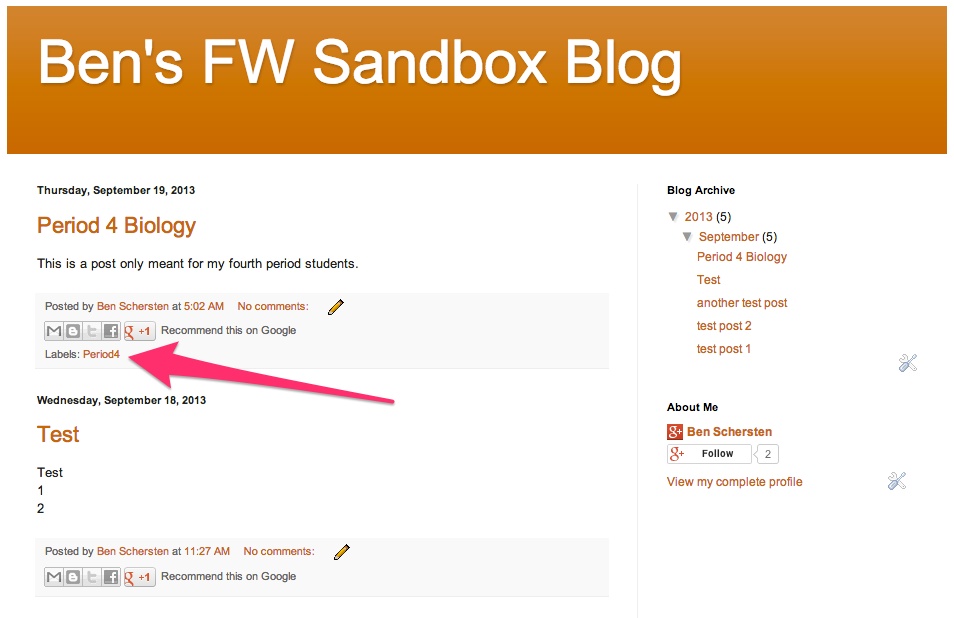
One way is to scroll through the posts looking for one that is labeled “Period4” (red arrow above). That label will be hyperlinked, and if you click on the label you’ll get a page with only posts containing that label. This will certainly work, but it means asking your users to scroll down your blog posts looking for a specific label. This could be time-consuming. Fortunately, there’s a better way.
Add gadget
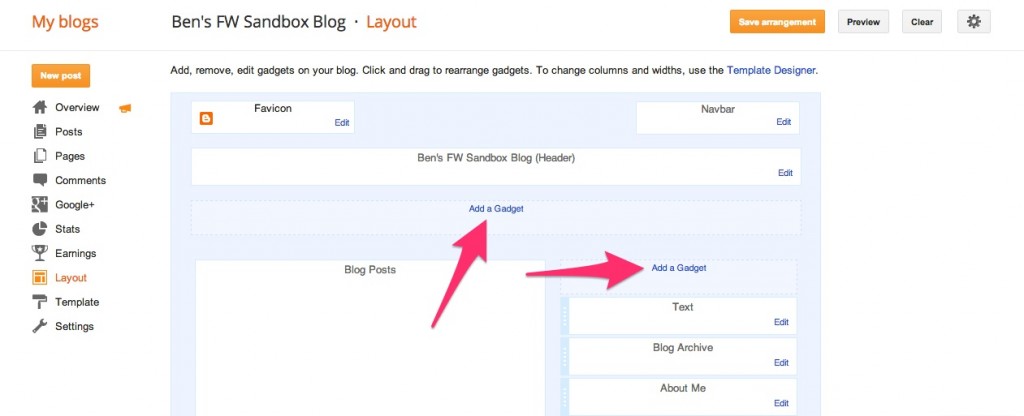
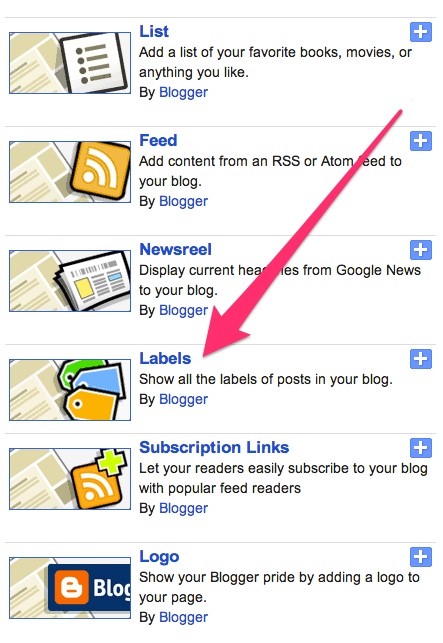
From your Blogger Dashboard, navigate to the Layout screen. Along the right sidebar or the top (your choice) you can add a “gadget.” When the select gadget window pops up (pictured below), select the Labels gadget (you’ll have to scroll down to find it).
Labels gadget
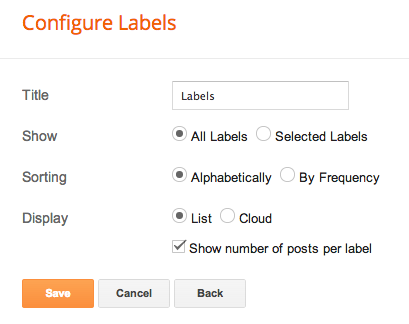
Once you’ve selected the Labels gadget you’ll be given some options. Do you want to show all your labels, or just some of them? How do you want them sorted? Should they be formatted as a list or as a cloud? Should it show the number of posts per label? Once you’re set, Save it and you’re ready to go.
Labels gadget options
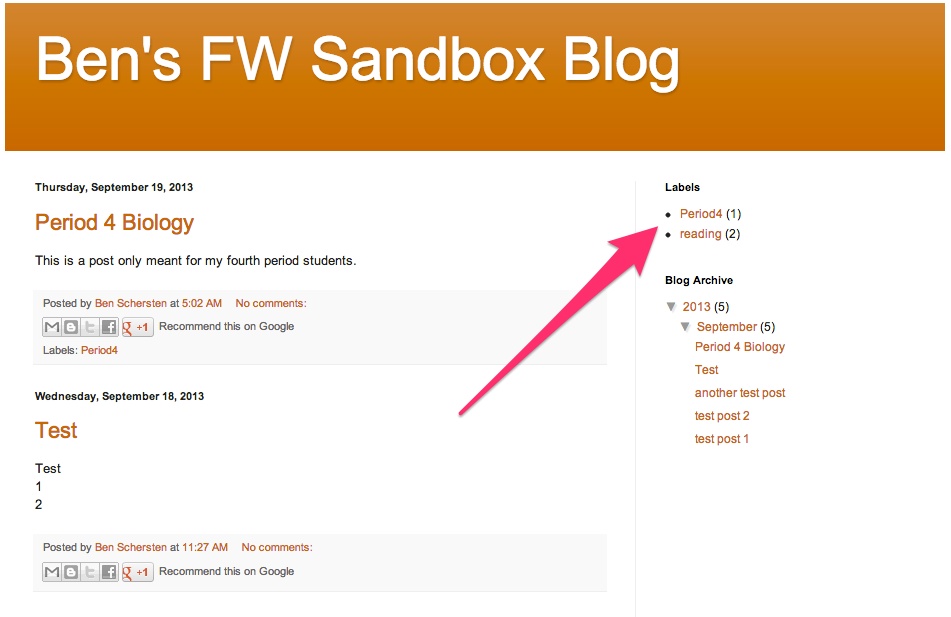
Now, head back to your live blog and your labels will be there for easy access. And remember, each post can have more that one label. So if you have information for more than one class, give that post multiple labels and it will show up in more than one label category.
Blog home with labels

Users can now easily click on a specific label and get access to just that content.

Monday, September 28, 2015

Day 19 - The First Few Weeks of School - Ms. Farmer - Francis Wyman Grade 1


We have had some fun getting t know each other and the rules the past few weeks.  Here are some pictures of what has been going on in the classroom: 

Room 111 Are Bucket Fillers!


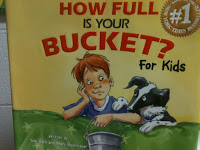
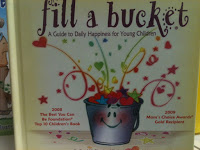
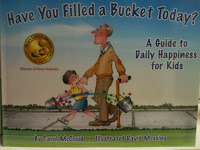
The entire first grade has read and discussed the book How Full Is Your Bucket? This book describes how we all have invisible buckets which are either filled by kind and helpful thoughts, actions and words or "dipped into" by unkind thoughts, words and actions.  Each child has his/her own bucket displayed on the wall.  When they are seen being kind and helpful to others or following the rules of the classroom, they put a coupon into their bucket.  

After the children earn 5 tickets, they receive a reward coupon.  You may have seen some of these coupons coming home.  Reward coupons include: lunch with the teacher; sitting in  Check out the books shown below!  The children beg to have them re-read to them over and over again!  Ask your child how (s)he is being a bucket filler at school.


Lately we have been receiving  for our buckets by remembering to do the following upon arrival to school each morning (without being reminded by the teacher).


This is what we have been doing over the first 2 weeks!

Morning Meeting:
During morning meeting we practice greeting each other; learn to listen when others are speaking and read the "Morning Message." 

Hope and Dreams:
We discussed and shared our Hopes and Dreams for our year in first grade -- you can see them posted on the wall when you come to Open House on Tuesday.

Rules:
After sharing our hope and dreams we discussed and made rules as a classroom that we thought would help us achieve our goals.  They are also posted on our wall.

Here we are acting out the Classroom Rules:


Here are photos of the children relaxing and getting to know each other with play dough on the first of school:


Here we are playing a math game called "Shake Those beans"


Here we are practicing our STmath passwords: